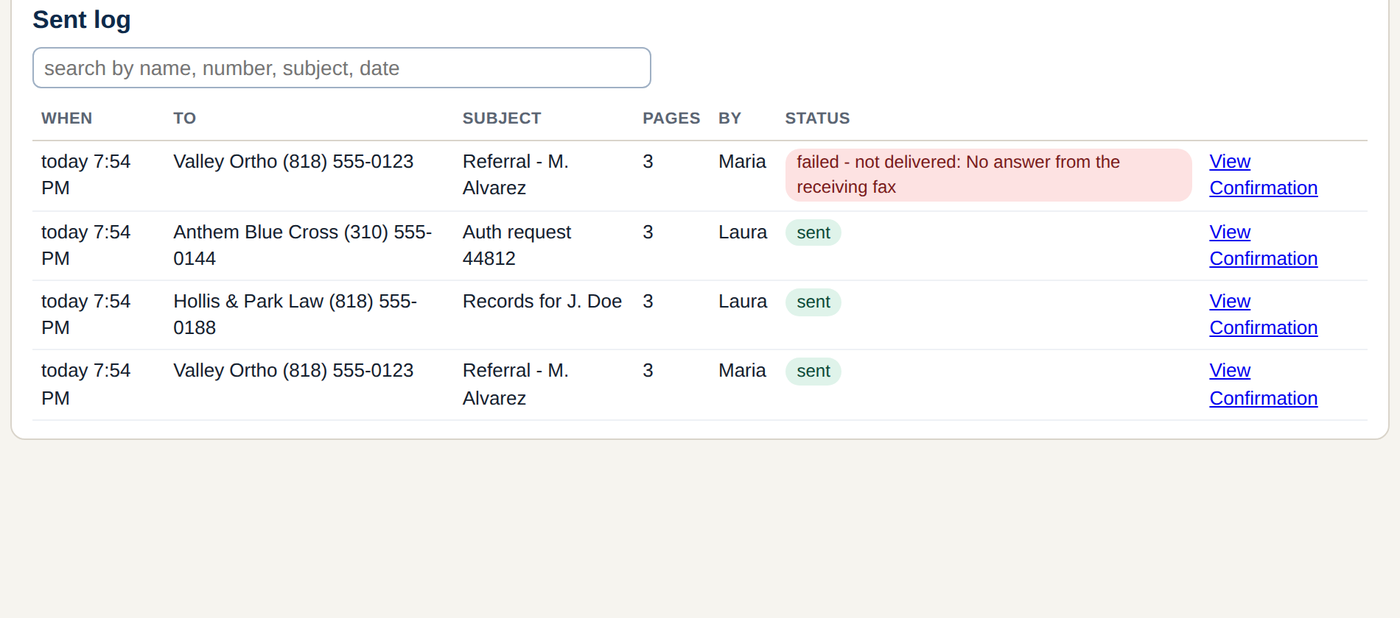
Now a sent fax has a second button next to Confirmation: Refax with proof. Press it and FaxDesk queues the same document again, with a new first page in front:
- THIS IS A RE-SEND - our records show this document was already transmitted to this fax number.
- Originally sent: date and time. To: the name and number. Pages. Our fax number.
- The carrier's id for the first transmission, and the delivery result when FaxDesk watched it arrive.
- Then the original cover page and the document, exactly as they went the first time.
The other office gets the document and the receipt in one fax. Your log shows both sends, the second one marked re-sent with proof of the first. Nothing is edited after the fact: the proof page is built from the record FaxDesk kept when the fax went.
It works on anything in the Sent log that is still on file (your retention setting). A failed fax still has the plain Resend button; proof is for the ones that went.
How it works at the desk
- Open the Sent log and find the fax.
- Press Refax with proof. It asks once: Re-send to (number) with proof of (date)? Press again.
- It queues like any fax. The new row says re-sent with proof of the original date.
Free for one desk. One file, no installer, nothing leaves your PC but the fax.
Download freeKeep me posted