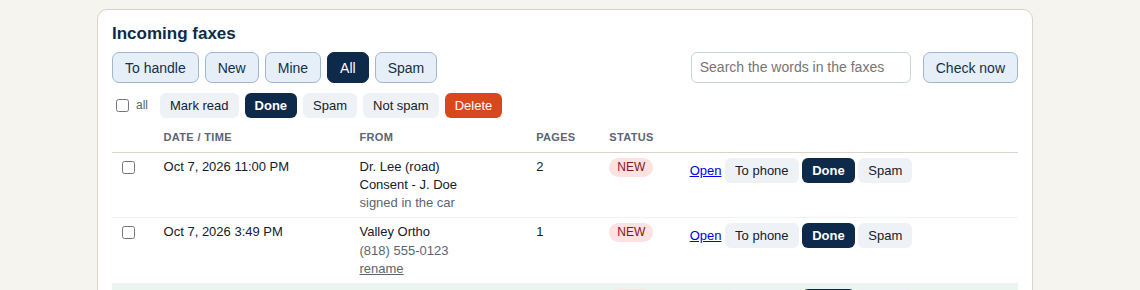
Road is a page the phone opens - freefaxdesk.com/road.html - and a switch in FaxDesk Settings. The office invites a phone with an 8-character code; the phone makes its own key (it never leaves the phone, and we never see it); the office presses Allow and checks the phone's code so a stranger's phone cannot slip in. From then on the desk can send any fax or document to that phone, and the phone can photograph pages or pick a PDF and send them in - they land in the office inbox as one PDF, assigned to whoever was picked.
- Sealed end to end. Each document is encrypted on the sending side to the receiving side's key (P-256, AES-GCM), and bound to this office and this phone. The relay (api.freefaxdesk.com) stores locked envelopes for up to 30 days and can read none of them - not the pages, not the names, not who it is for. The audit log on the PC records that something went to a phone, never what.
- Nothing to install on the phone. Safari on iPhone, Chrome on Android. Add it to the home screen for the app feel and a buzz when something arrives (the buzz carries no content - the phone fetches the real thing).
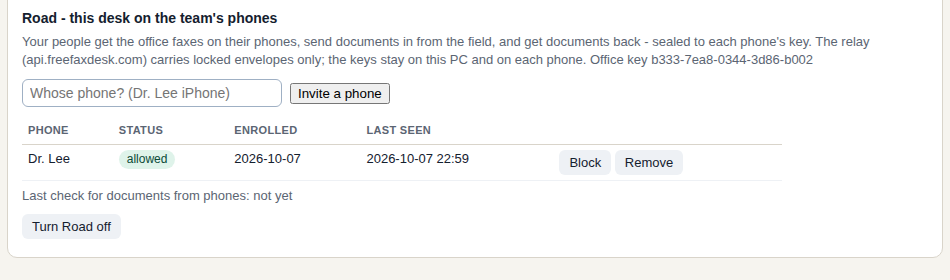
- The office stays in charge. Settings > Road lists every phone with when it was last seen; Block or Remove works instantly. Turn Road off and the office key is gone.
- Rate-limited relay, open code. The relay is a small Cloudflare Worker whose source is in the repo; an office can run its own by changing one setting.
Road ships in 1.3.1 together with a fix: 1.3.0 dropped documents from phones that had real photographs in them (the office side capped the page bundle too low). If you tried Road on 1.3.0 and a send never arrived, that was it.
- On the PC: Settings > Road > Turn Road on, then type whose phone it is and press Invite a phone. You get a code (good for 24 hours).
- On the phone: open freefaxdesk.com/road.html, type the code and your name, Join. Open This phone and read the office the first four characters of the code shown there.
- Back on the PC: press Allow, type those four characters. Done - To phone appears on every fax, and the phone's Send tab reaches the office.
Free for one desk. One file, no installer, nothing leaves your PC but the fax.
Download freeKeep me posted